To get the clearest insights, it's important to focus your analysis on relevant competitors. This guide shows you how to remove unwanted or irrelevant brands from your dashboard and ranking reports. Following these steps will help you create a more accurate and focused view of your competitive landscape.
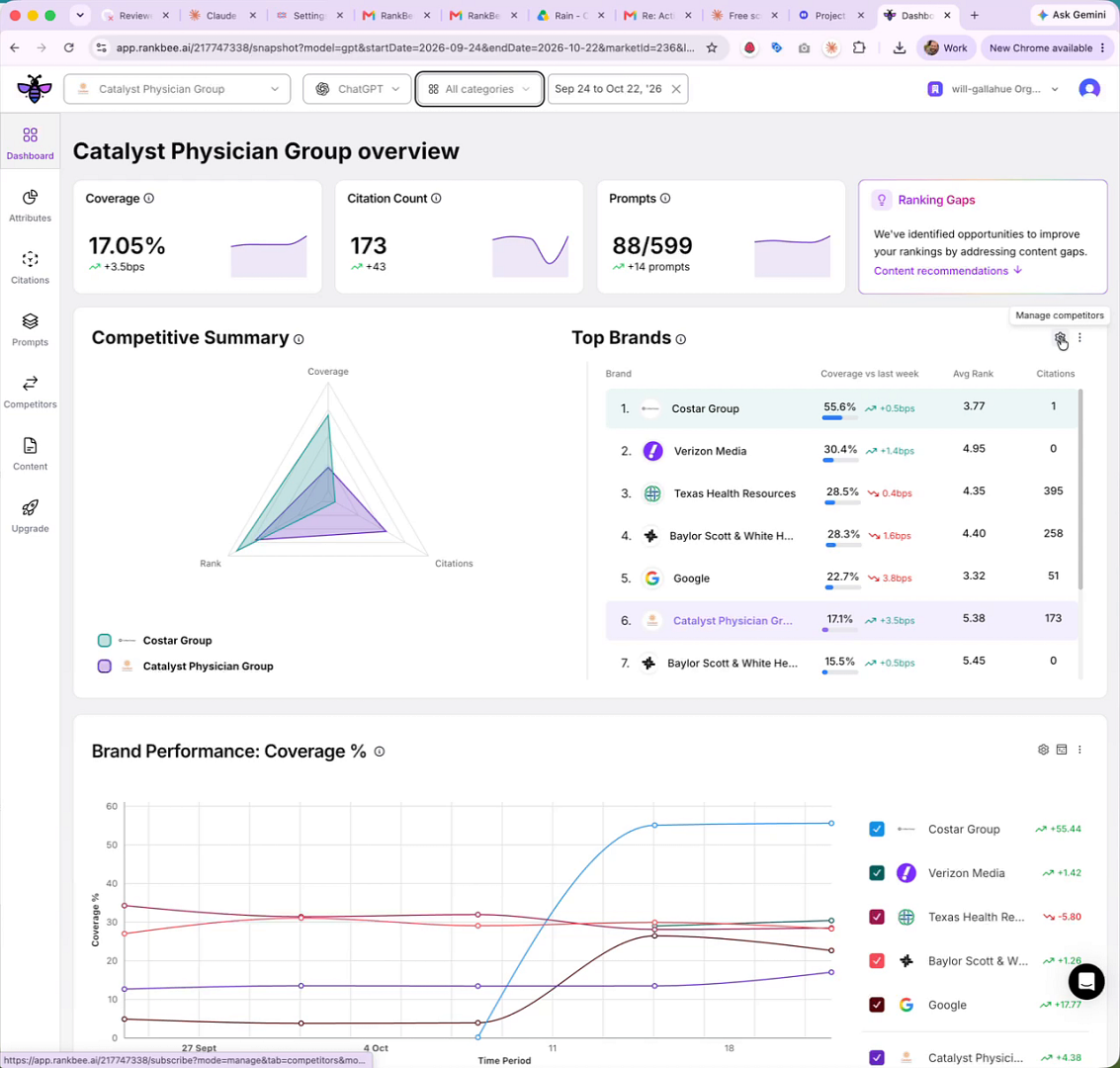
- From your brand's overview dashboard, locate the Top Brands widget.
- Click the three-dot menu icon in the top-right corner of the widget.
- Select Manage competitors from the dropdown menu.
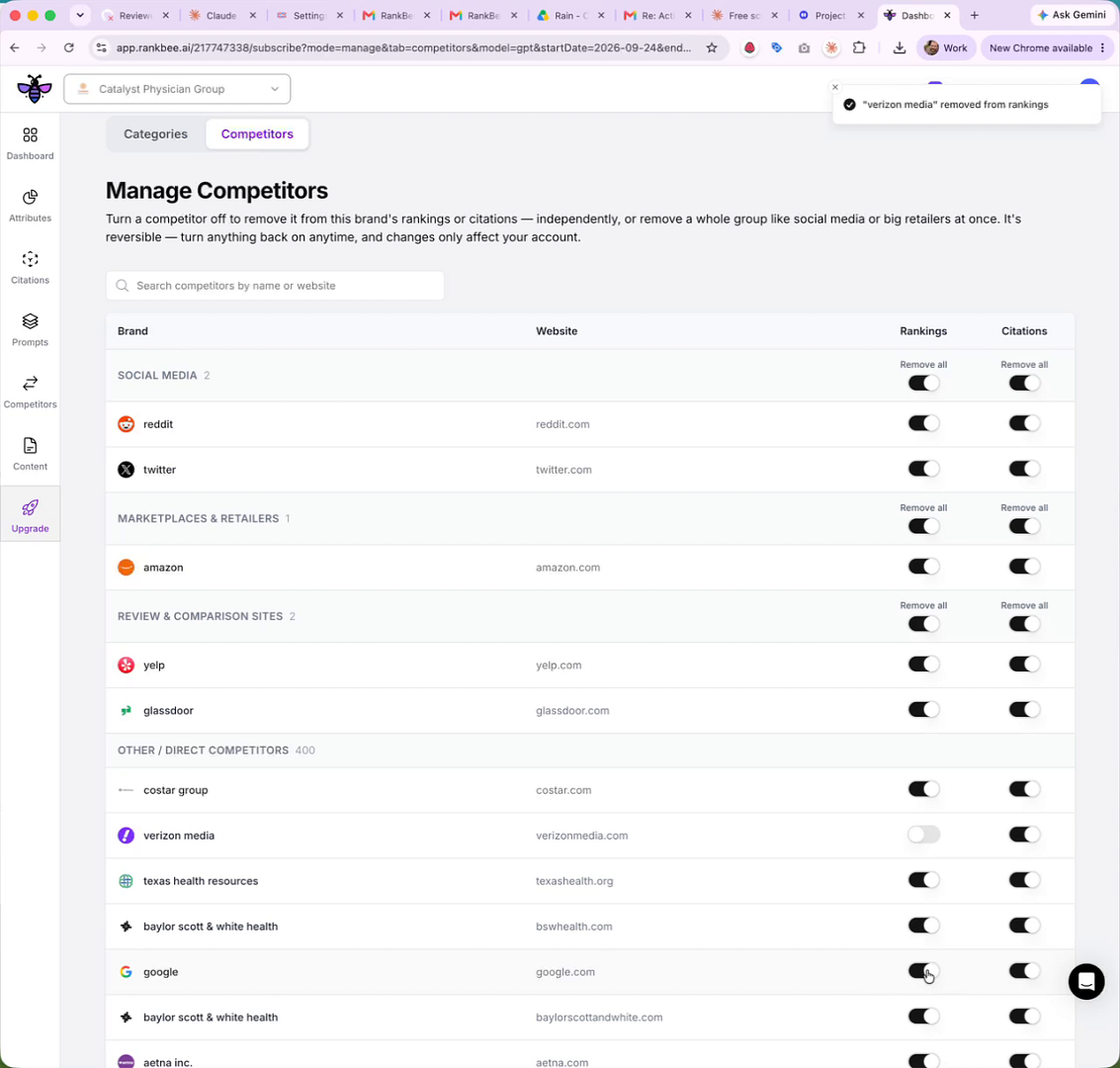
- On the Manage Competitors page, scroll to find the brand or category you want to hide from your analysis.
- Click the toggle switch in the Rankings column for that competitor. This will remove the brand from your ranking analysis and dashboard visuals.
Summary
This article explains how to customize your competitive landscape by removing irrelevant brands from your ranking analysis. By using the toggles on the Manage Competitors page, you can ensure your dashboards and reports provide a focused view, leading to clearer and more actionable insights without losing visibility into citation sources.