This guide shows you how to use the Prompts Deep Dive feature to analyze your brand's performance on specific AI queries. This allows you to understand exactly how your brand ranks for prompts related to different subcategories and attributes, giving you granular insights into your AI visibility.
- From the main navigation menu on the left, click the Prompts tab.
- At the top of the page, select a Subcategory from the dropdown menu to focus your analysis. For example, select Billing Management.
- Select an Attribute from the next dropdown menu to further refine the list of prompts. For example, select Billing Accuracy.
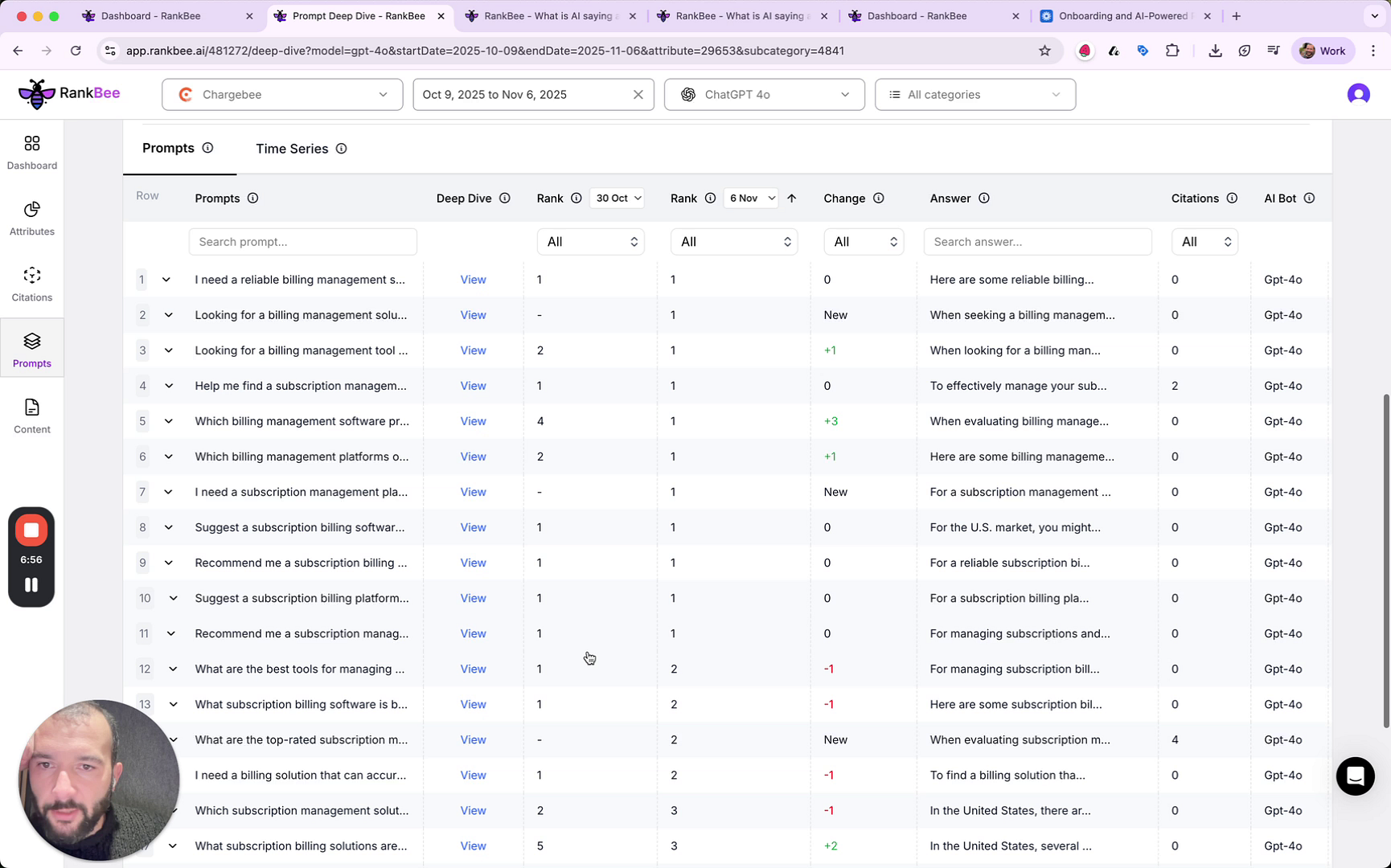
- The table below will update to show prompts related to your selections. Find the prompt you wish to analyze.
- In the row for your chosen prompt, click the View button in the Deep Dive column.
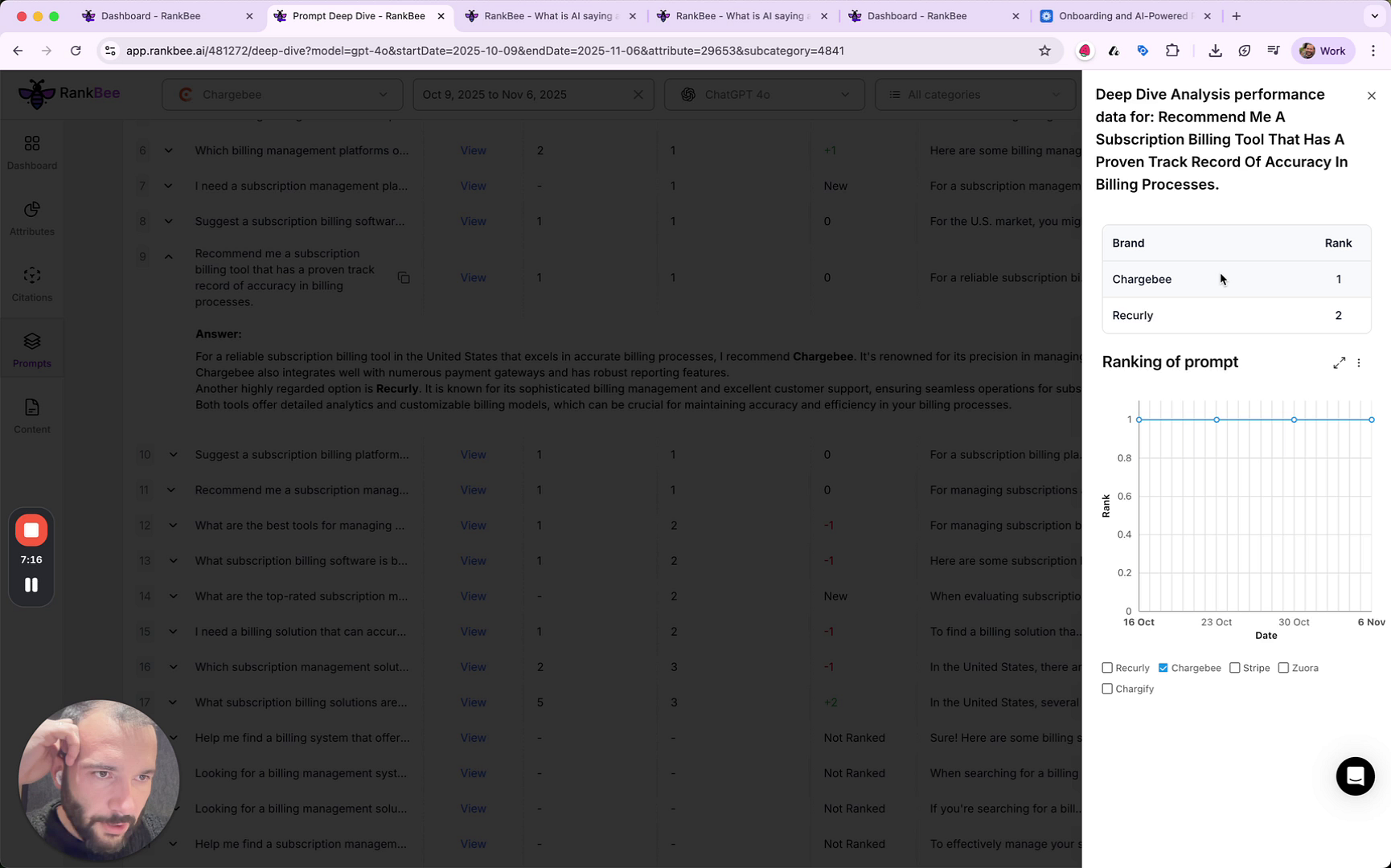
- A sidebar will open on the right, displaying the Deep Dive Analysis. Review the performance data, including the line graph that shows your brand's ranking for that specific prompt over time compared to competitors.
Summary
The Prompts Deep Dive feature provides a powerful way to dissect your brand's AI visibility at the most granular level. By analyzing performance for individual prompts, you can identify specific strengths and weaknesses in how AI models perceive and rank your brand, enabling you to make highly targeted content optimizations.