This guide shows you how to filter and sort your AI-powered content recommendations to quickly find the most impactful opportunities. By organizing your recommendations, you can prioritize your content strategy and focus on the topics that matter most. You will need to be on the Attributes tab to begin.
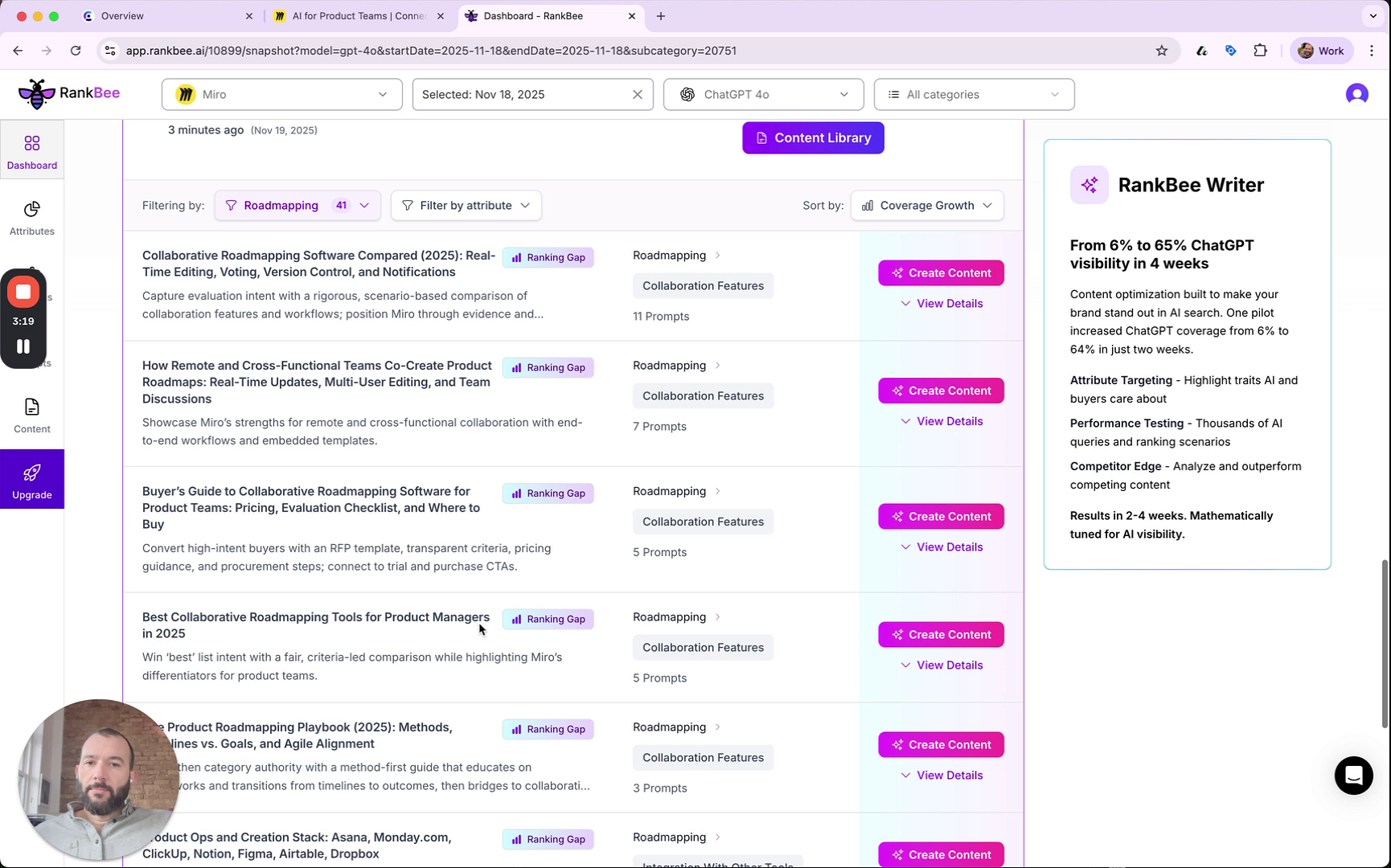
- From the Attributes tab, scroll down to the Top Content Recommendations section.
- Click the Filtering by dropdown menu to select a specific subcategory to focus on.
- Click the Filter by attribute dropdown menu to further narrow the recommendations by a specific feature.
- Click the Sort by dropdown menu and select an option, such as Coverage Growth, to reorder the list of recommendations.
Summary
This article explains how to use the filtering and sorting tools in the 'Top Content Recommendations' section. By applying filters for subcategories and attributes, and sorting by key metrics, you can efficiently identify and prioritize high-value content opportunities to improve your rankings.