After Rankbee.ai generates new content based on your selected recommendations, you can review, edit, and export it from the Content section. This area provides detailed metrics, an optimization score, and multiple versions of the content to help you choose the best fit for your goals before publishing.
Content Library Overview
Access the Content section from the main navigation menu on the left. Here, you'll find a library of all the articles generated by the system. Each row in the list provides a quick overview:
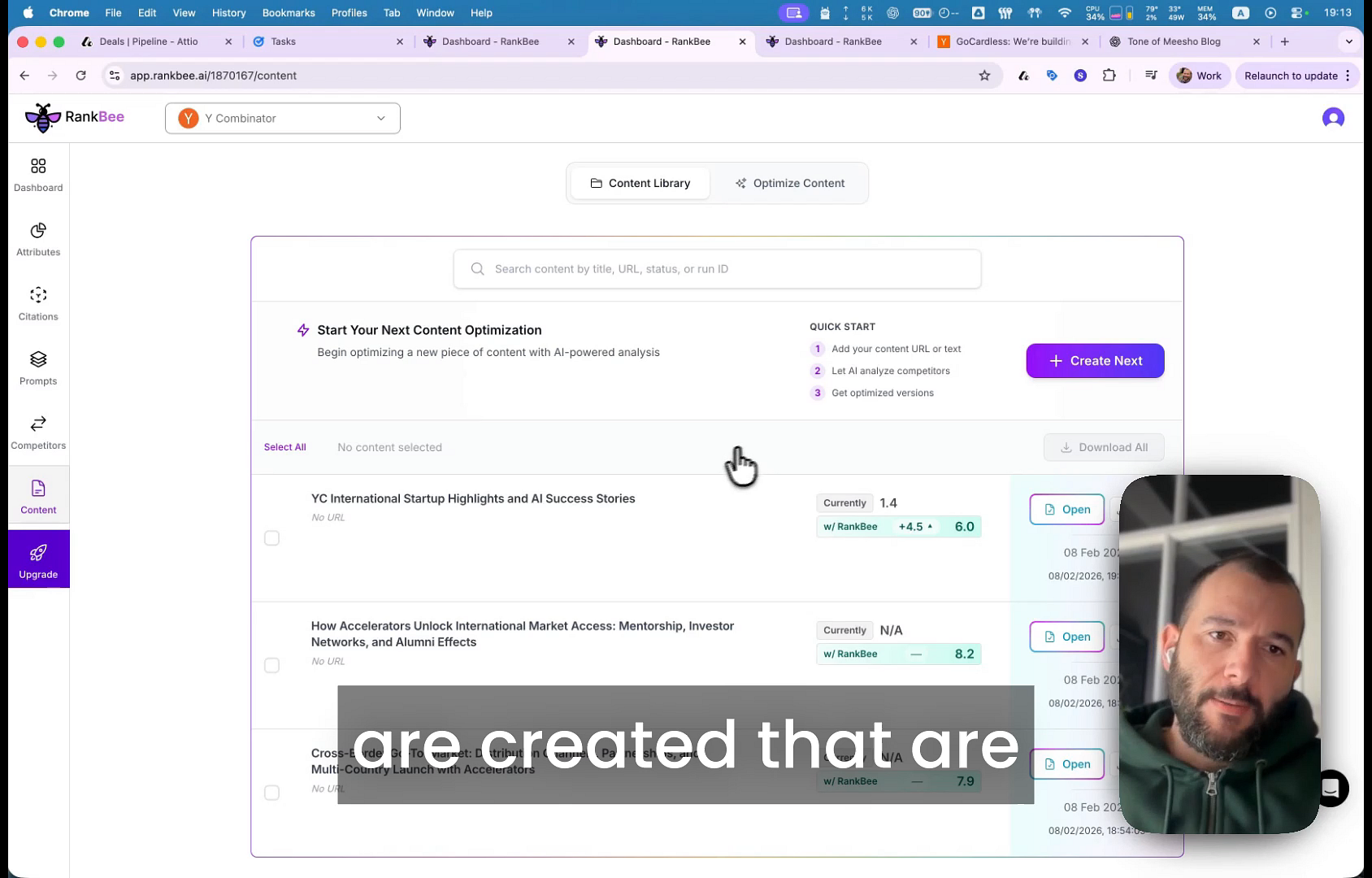
- Content Title: The title of the generated article.
- Currently: The optimization score for an existing URL, if you are optimizing a live page. This will show 'N/A' for newly generated content.
- w/ Rankbee: The optimization score of the new content generated by Rankbee.ai. This score indicates how well the content is optimized for AI search.
- Actions: Click the Open button to view the full article and its detailed analysis.
Detailed Content View
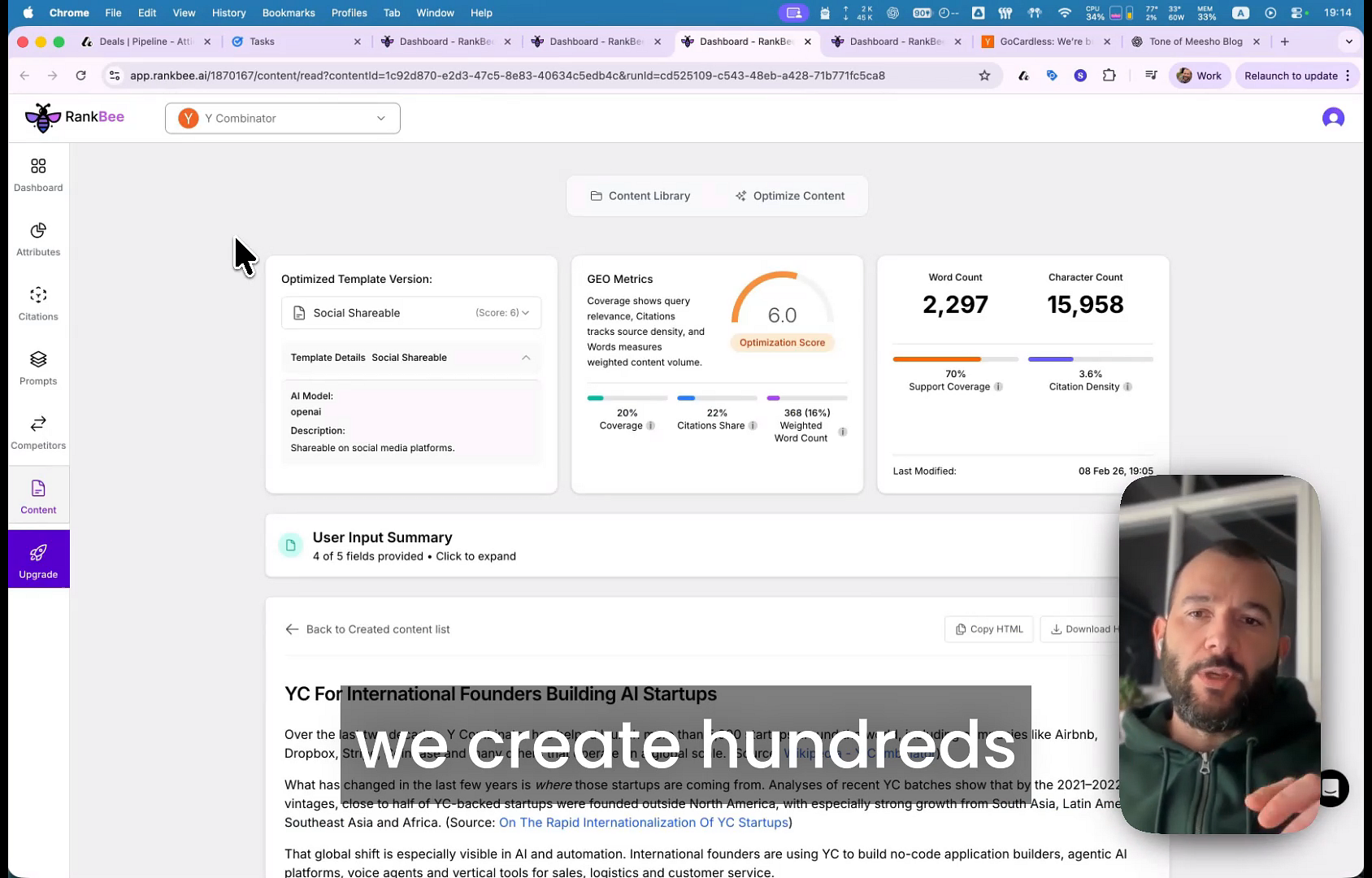
Clicking Open on any article takes you to the detailed content editor. This page is divided into a metrics panel at the top and the full content body below.
Key Metrics and Versions
The top panel provides key data points and allows you to switch between different versions of your content.
- Optimized Template Version: Use this dropdown to switch between multiple versions of the article, each tailored for a specific purpose, such as 'Social Shareable', 'SEO and GEO Optimized', or 'Expert Analysis'.
- GEO Metrics: This section displays the overall Optimization Score, which measures the content's relevance and quality for AI search. It also shows metrics like Support Coverage and Citation Density.
- Word Count and Character Count: A quick reference for the length of the generated article.
- User Input Summary: A summary of the settings and criteria you provided that guided the AI in generating the content.
Tips for Using This Section
Experiment with the Optimized Template Version dropdown to find the perfect tone and style for your target audience and publication channel. Once you are satisfied, use the Copy HTML or Download buttons to easily transfer the content to your content management system (CMS).
Summary
The Content section is your final stop for reviewing, refining, and exporting AI-generated articles. This feature allows you to analyze content performance through an optimization score, compare different AI-generated templates for various use cases, and prepare your content for publication, ensuring it is fully optimized to perform well in AI-driven search environments.