This guide explains how to use Rankbee AI to improve an existing article from your website. By providing a URL, you can leverage our platform to analyze, rewrite, and optimize your content for better visibility in both AI-powered and traditional search engines. You will need the URL of the published article you wish to optimize.
- Navigate to the Content tab from the main navigation menu on the left.
- In the Start Your Next Content Optimization section, click the + Create Next button to begin.
- When prompted, enter the full URL of the existing article you want to optimize.
- Allow the AI to run its analysis. The system will evaluate your content against competitors and generate optimized versions.
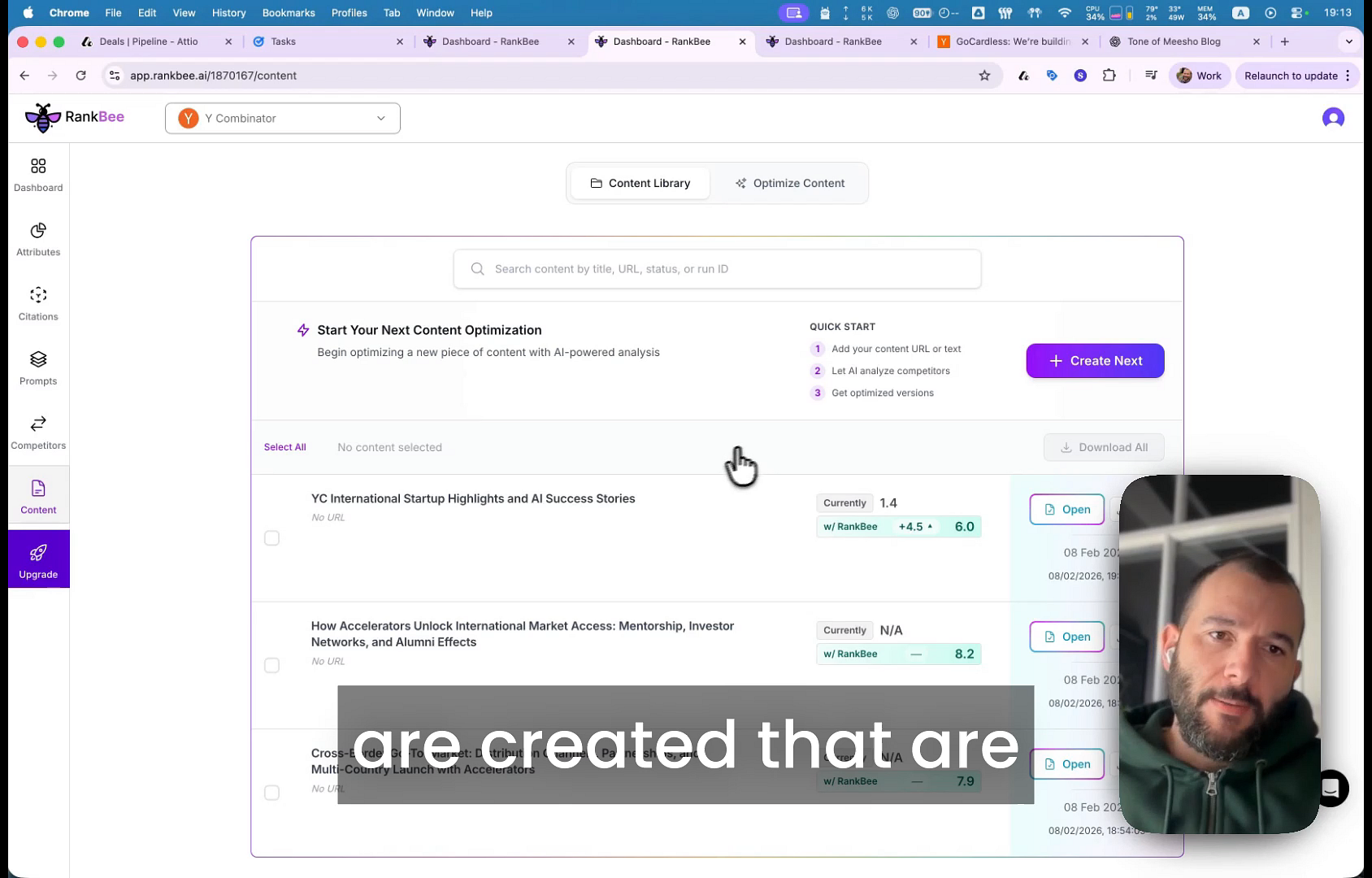
- Once the process is complete, find your article in the content list. You can see its original score versus the new potential score with Rankbee.
- Click the Open button next to the article to view the detailed optimization results in the editor.
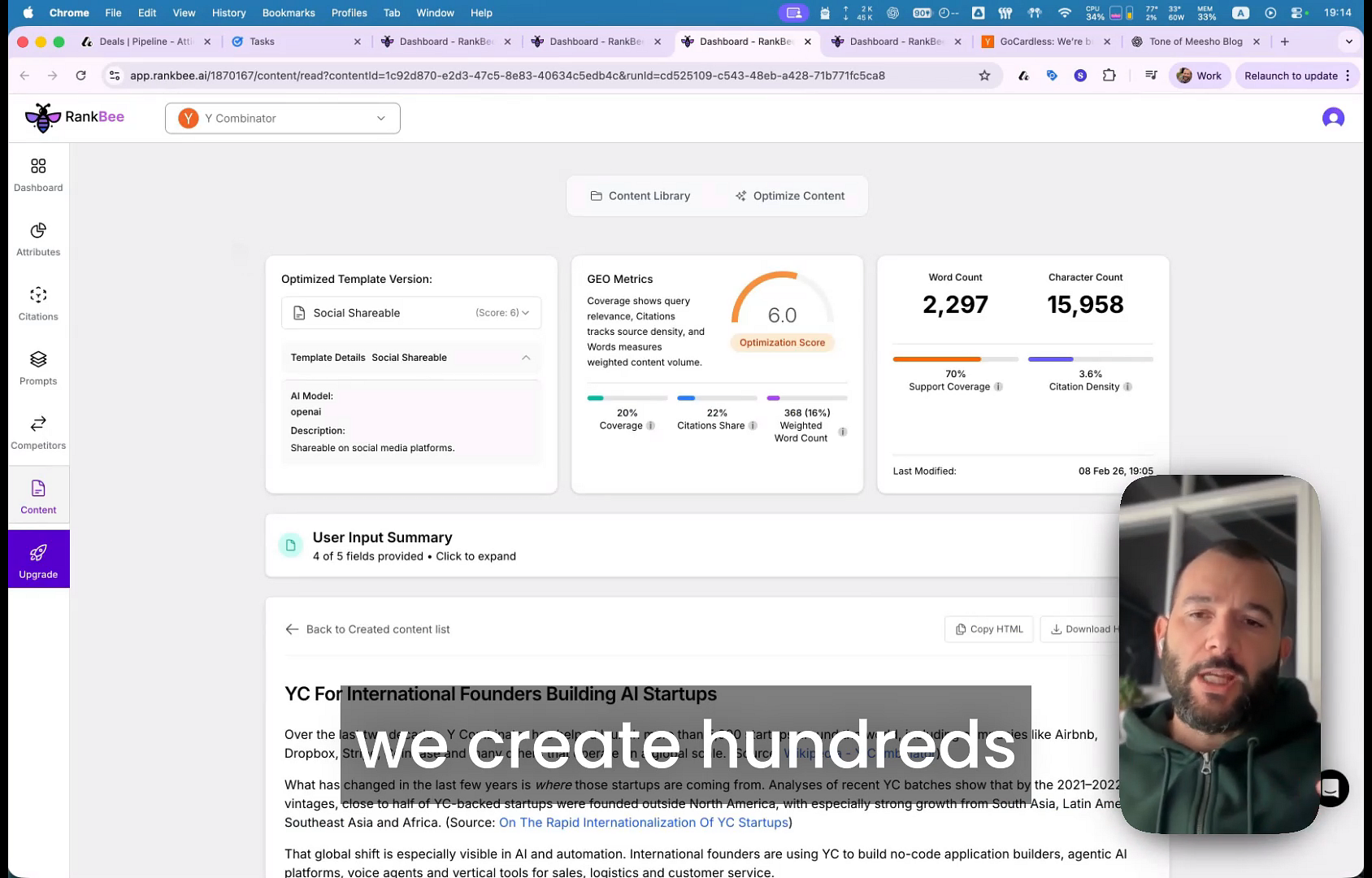
- Inside the editor, review the new Optimization Score and select from different optimized templates like Social Shareable or SEO and Optimized to find the best fit.
- Click the Copy HTML or Download buttons to export the improved content and update the article on your website.
Summary
This article provides a step-by-step walkthrough of how to optimize an existing piece of content using its URL. The process involves initiating an optimization run, letting the AI generate improved versions, and exporting the new content to enhance your site's SEO and AI search performance.